
Remember
Never look up the filter size twice.
Save equipment labels, model and serial numbers, supplies, and repair notes with the home they belong to.
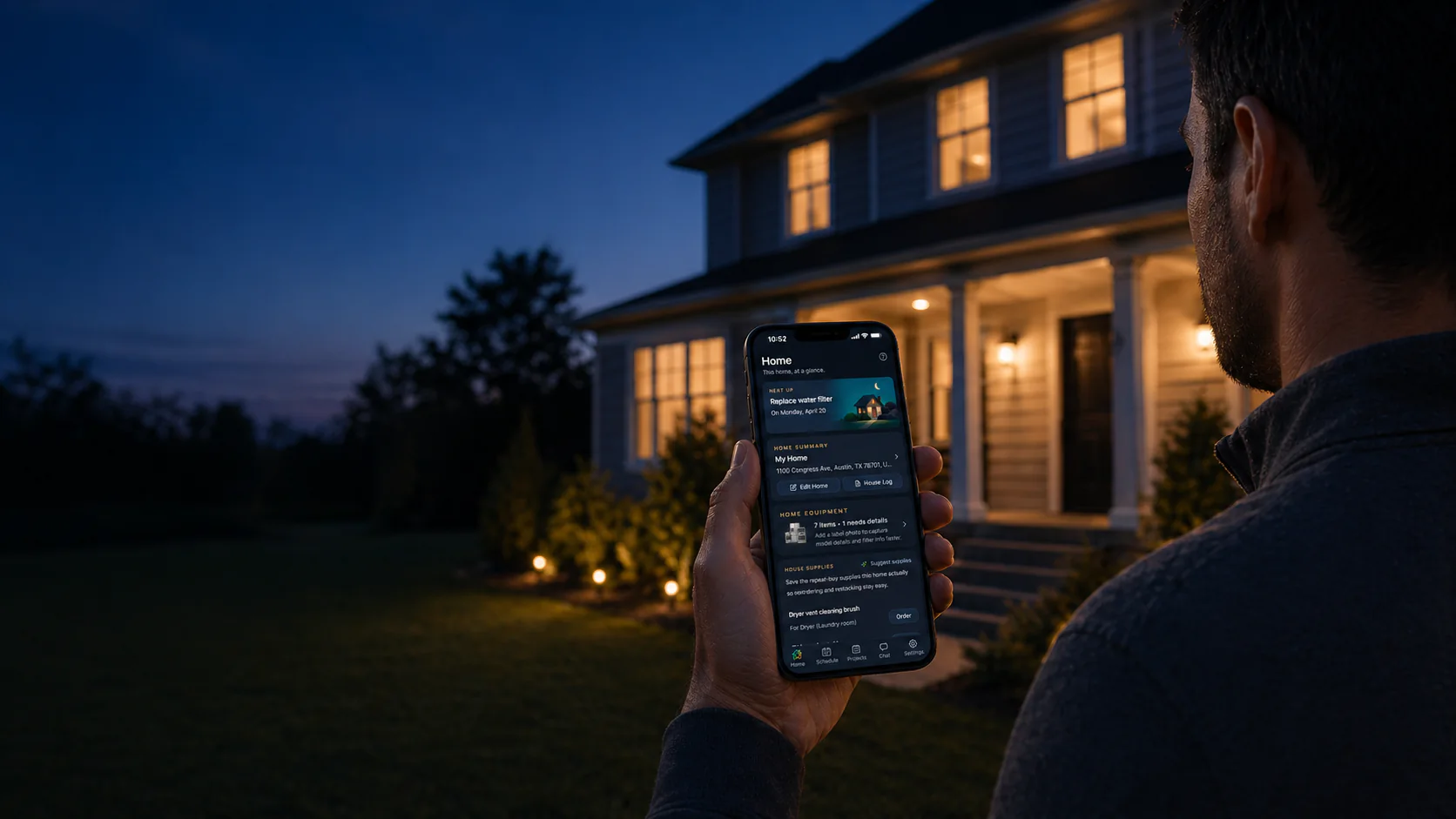
The home management app
Stop keeping filter sizes, repair notes, task dates, and supply links in your head. Heart Of The House keeps them together for the right home, right when you need them.
Free plan included. Start with one home.
You do not need to organize the whole house at once. Save one recurring task, one equipment label, or one repeat supply and let the home memory grow from there.
Save equipment labels, model and serial numbers, supplies, and repair notes with the home they belong to.
Turn recurring maintenance and chores into a practical schedule, with the useful details still attached.
Keep tasks, supplies, projects, contacts, and house history in one shared home memory instead of scattered messages.
From daily upkeep to bigger projects, Heart Of The House keeps the work, supplies, contacts, shortcuts, and records connected to the right home.
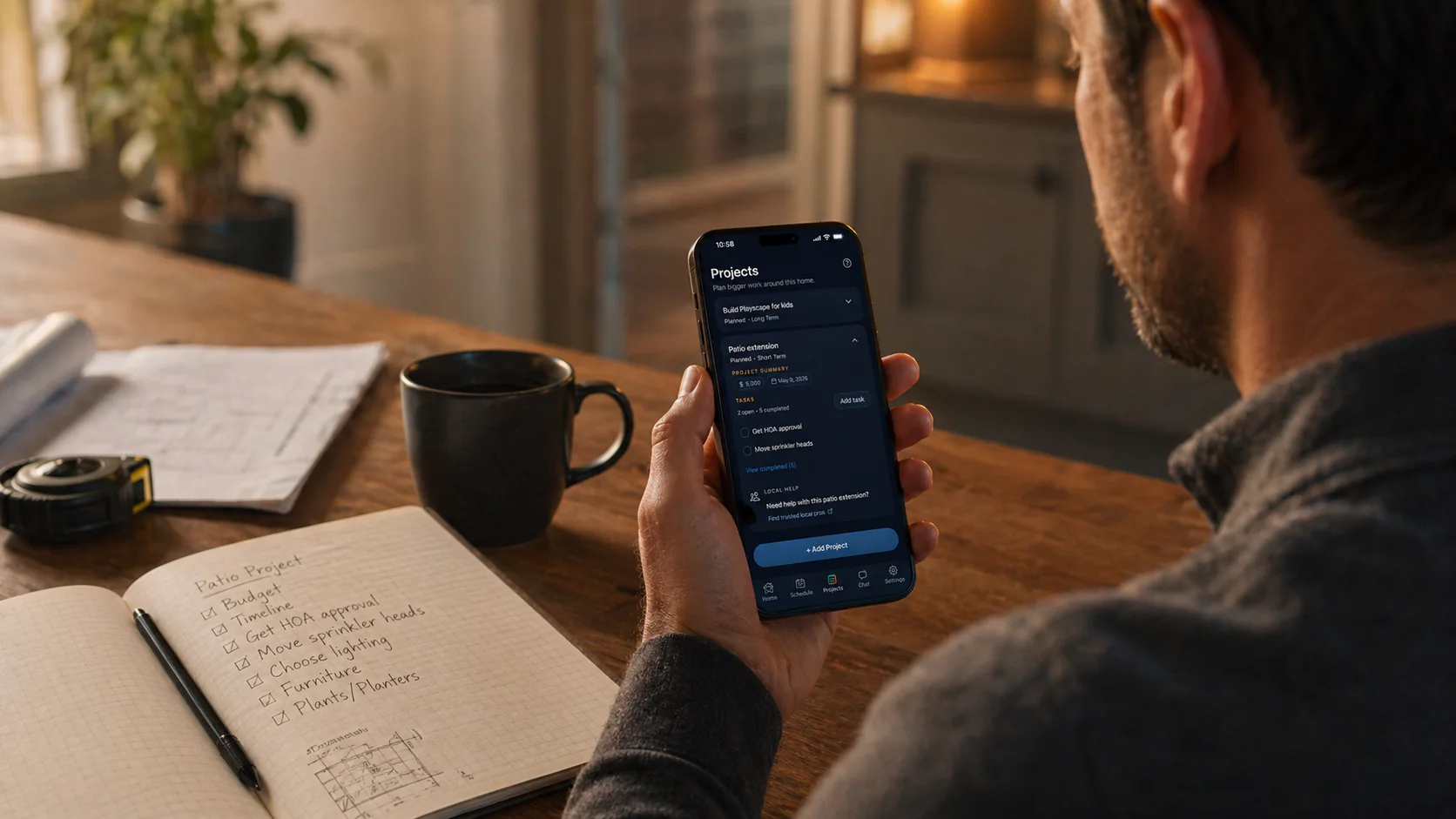
Keep notes, materials, timing, and wanted-by dates on the same home record.
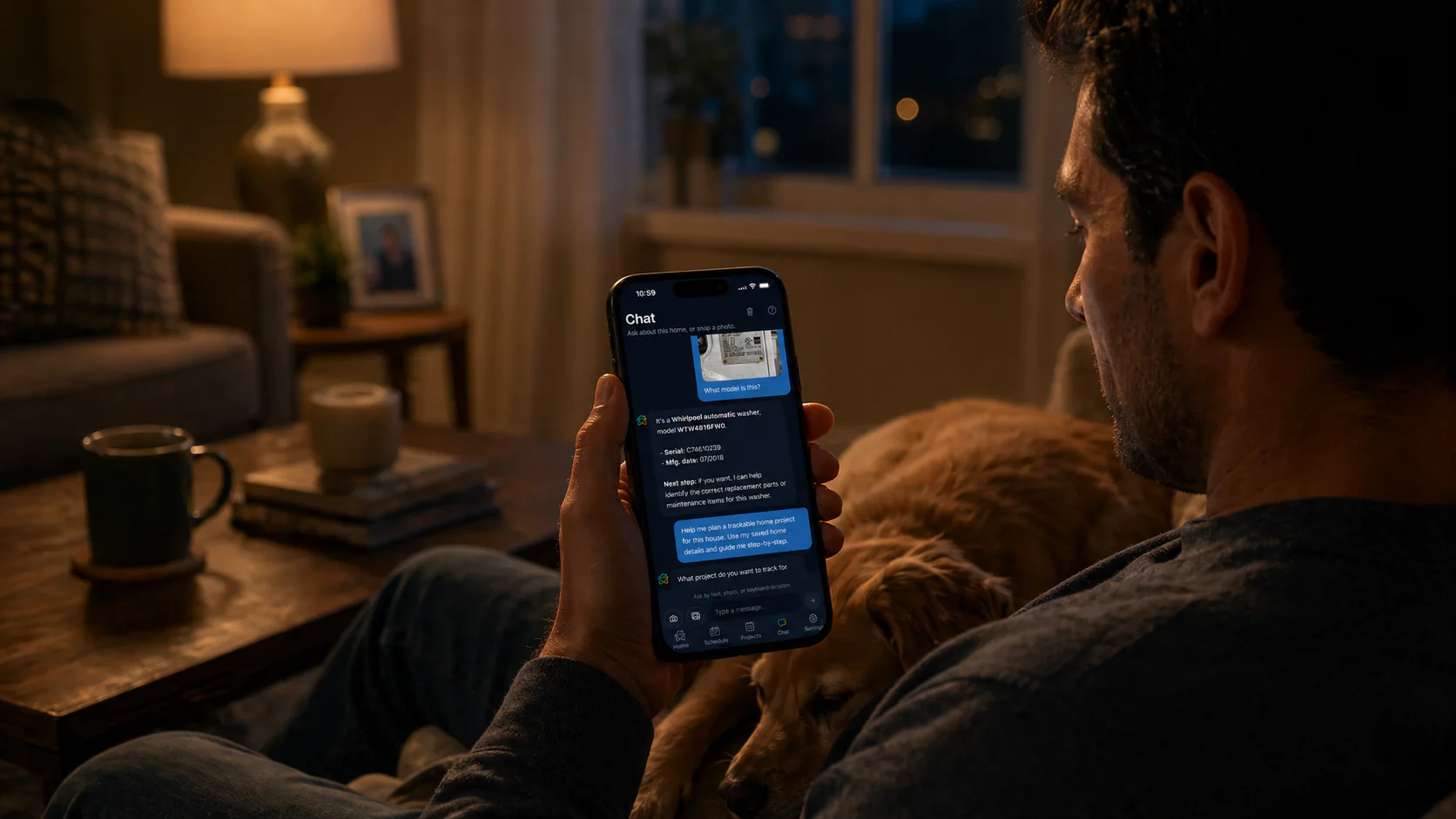
The home's equipment, tasks, and notes stay with the conversation.
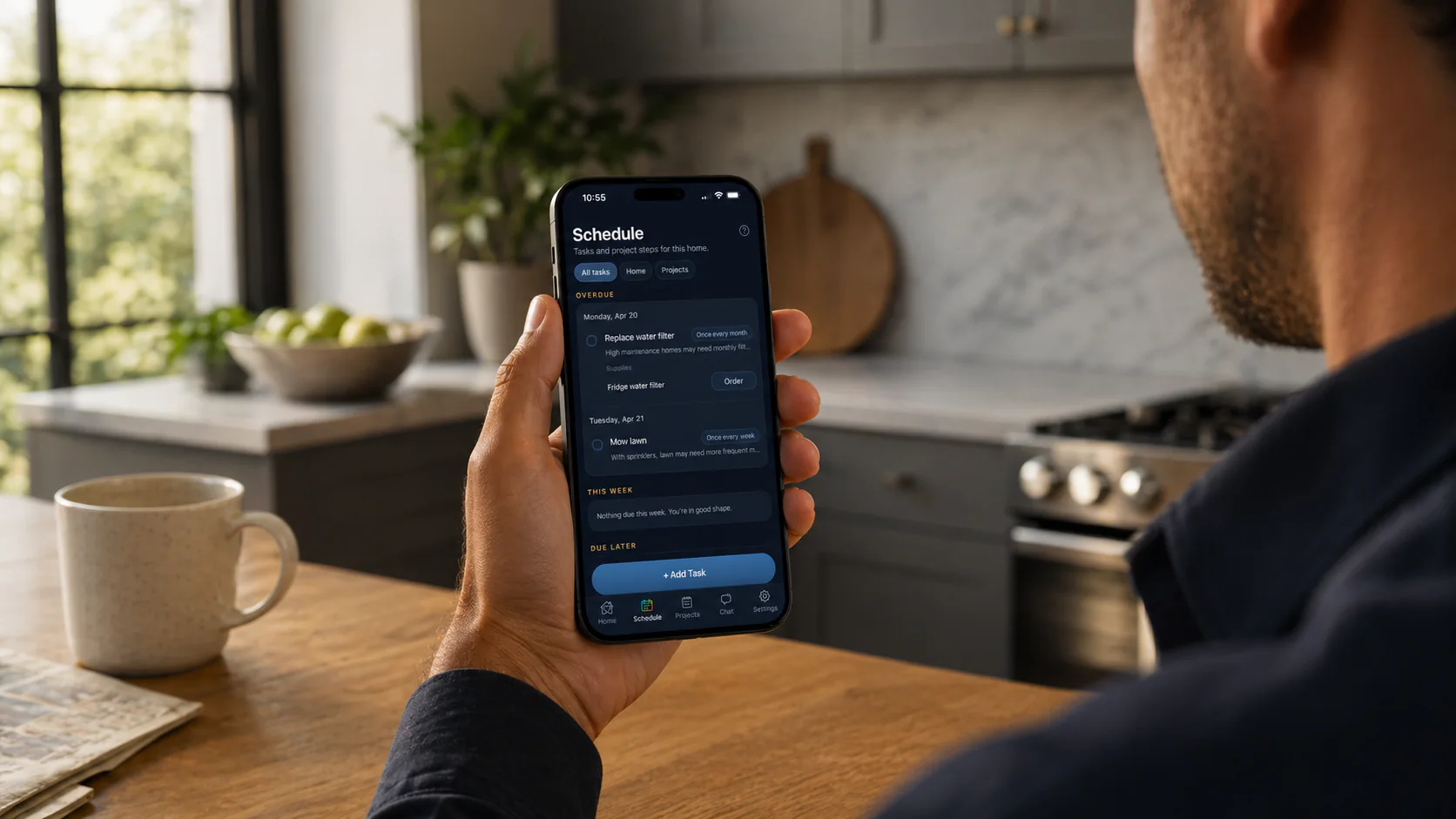
Recurring chores, seasonal work, and saved supplies stay in one maintenance view.

Manage a primary home, family home, or rental without mixing tasks, supplies, or history.

Launch the household apps and saved web links that belong to a specific home.
Save the people and companies you actually call for that house.
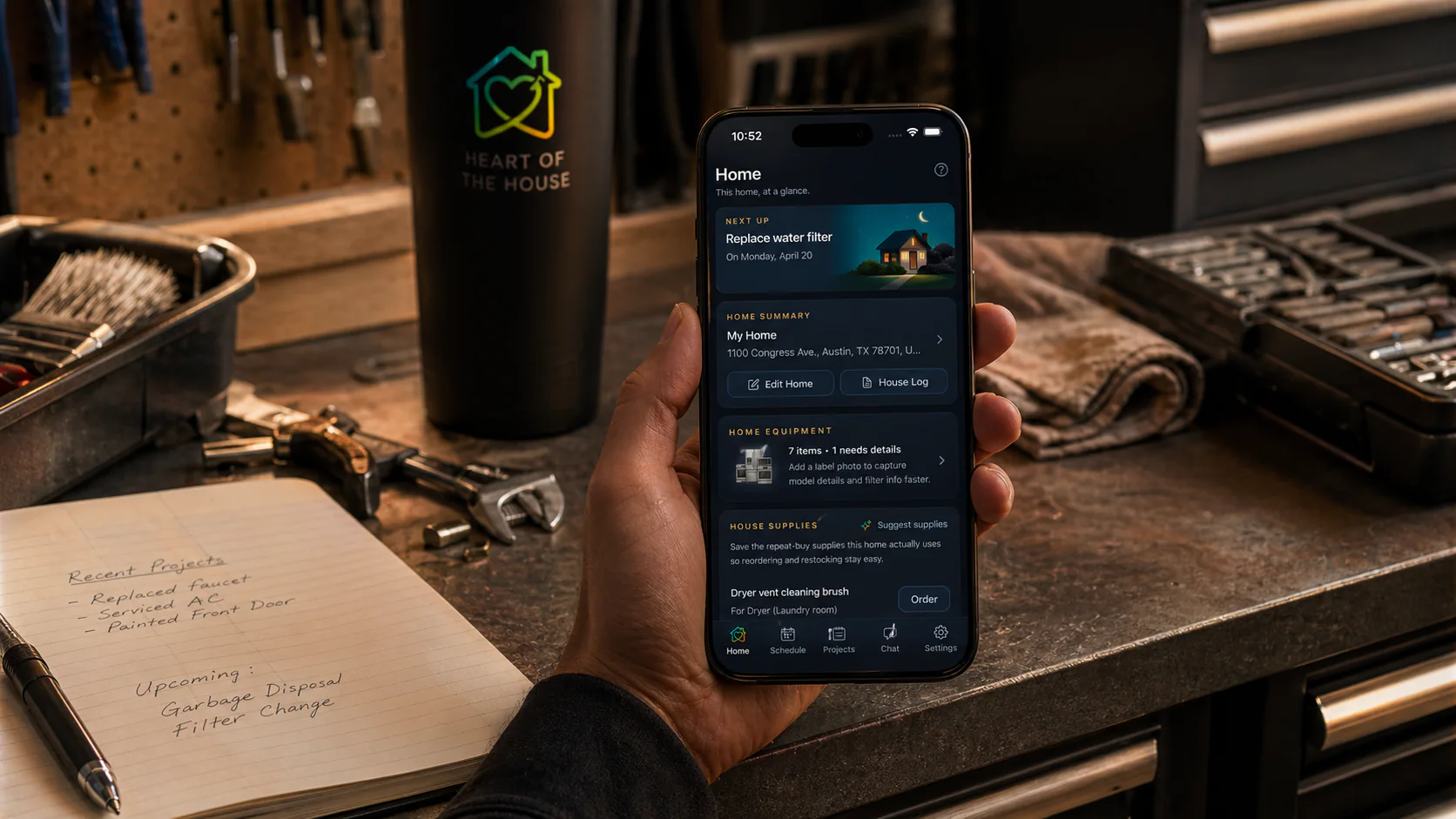
Open a home, see what matters now, and act without losing the details that usually fall out of the picture.
The next step, shortcuts, saved supplies, equipment details, projects, and house history all stay with the right home.
Label photos, model numbers, serials, reorder links, and repair notes stay easy to find later instead of becoming another search.
When a home is shared, everyone can work from the same tasks, supply memory, and project context instead of keeping separate copies.
Each home keeps the next step, saved supplies, and follow-up history attached to the place you are actually working on.
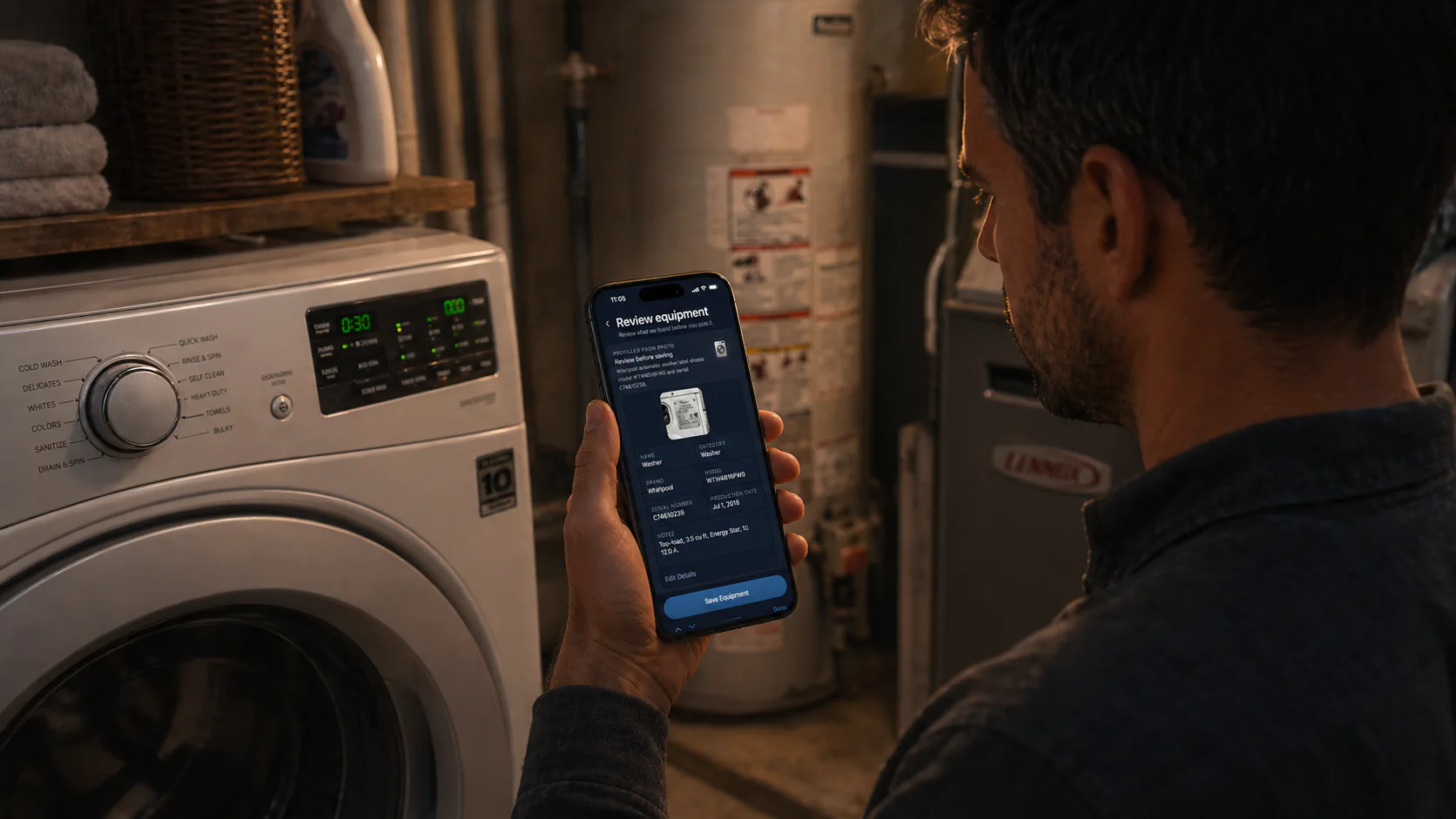
Label photos, model numbers, serials, reorder links, and repair notes stay tied to the record instead of fading into another search.
Tasks, supply memory, and project context stay together for the right home instead of splitting into separate notes or tabs.
Scan the label, save repeat supplies, keep useful contacts, and revisit the house log without losing the thread of the home underneath.
Model number, serial, and equipment details become long-term home memory instead of staying trapped in your camera roll.

Keep the filters, parts, cleaners, and basics this home uses, then choose where to order when replacement time comes back around.
Repairs, purchases, touch-ups, and reminders all add up to a house log that stays useful long after the moment passes.
Explore the ways Heart Of The House supports maintenance, household coordination, inventory memory, and multiple properties.
Tasks, equipment, supplies, projects, notes, and house history in one organized place for the home.
Recurring chores, seasonal upkeep, and maintenance reminders without losing the surrounding context.
Day-to-day household work in one shared memory for tasks, supplies, projects, and the details both people need.
Appliances, systems, label photos, model numbers, serials, and linked supplies that stay useful later.
Practical AI help that understands the specific home, its records, and the work already in motion.
Property memory for hosts who need maintenance, equipment, supplies, contacts, shortcuts, and history kept separate by address.
Short, useful guides on home memory, maintenance, inventory, family coordination, and practical AI help.
What to track first when you want reminders, supplies, equipment details, and house history to start organized.
Keep the filter size, unit location, reorder link, and reminder together.
How one home memory helps people share tasks, supplies, equipment details, and house history.
A practical monthly, seasonal, annual, and as-needed checklist for homeowners.
How to keep recurring work, supplies, equipment details, and history easier to revisit.
A practical way to keep model numbers, serials, label photos, and repair history findable.
Keep repair dates, service notes, costs, contacts, and next steps useful after the work is done.
Start on iPhone, Android, or in the browser, then choose the tier that matches how many homes and how much help you need.
One owned home, core home memory, Amazon ordering, and enough AI, photo help, and planning to get started well.
$49/year · about $4.08/month · save 42%
Best for one shared home or a 2 to 3 home setup, with links from any store and more room for AI and photo help.
$129/year · about $10.75/month · save 28%
Best for 4 or more homes, rental portfolios, or properties where up to 5 people need the same home memory.
Short answers here. The full FAQ goes deeper into plans, photo help, home sharing, and multi-home use.
It is a home management app for tasks, equipment, supplies, projects, house history, and practical AI help.
Heart Of The House is available now on iPhone, Android, and the web. One account keeps each home's memory together across iPhone, Android, desktop web, and mobile web.
Free starts with one home. Pro supports up to 3 homes. Portfolio supports unlimited homes and becomes the clear fit at 4 or more, or when up to 5 members need access to each home.
Heart Of The House is a home management app for tasks, supplies, equipment, projects, house history, sharing, multiple homes, and practical AI help, all tied to the home you are caring for.