
A task is easier to finish when the supply, equipment details, and last repair note are already part of the same home record.
← Back to overview
Home management app
Give each home one organized place to remember.
Heart Of The House is a home management app built around one idea: give each home its own memory.
Keep the details of daily upkeep, equipment, supplies, home shortcuts, contacts, projects, and home history in one place you can actually return to.
Install Heart Of The House on iPhone or Android, or use it in your browser. One account keeps each home's memory together across iPhone, Android, desktop web, and mobile web.
Home tasks
Equipment
Supplies
Home Shortcuts
Who To Call
AI help

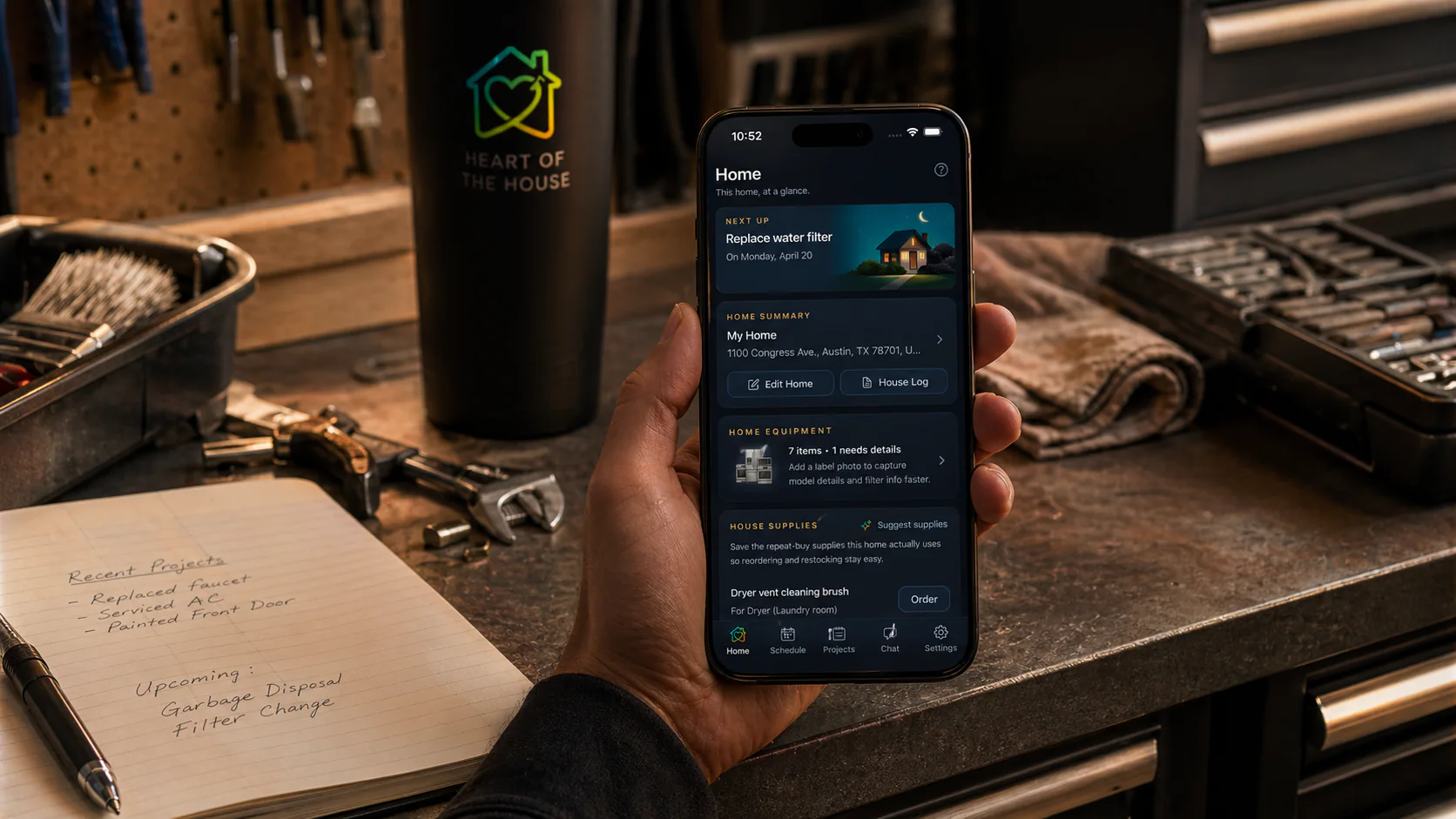
Tasks and schedule
Track recurring work and dated project tasks without rebuilding your system every month.
Useful records
Keep model numbers, serials, supply links, contacts, shortcuts, notes, and history where you can find them later.
Works across homes
Keep a primary home, family home, second home, or rental property separate when life gets bigger.
The homeowner problem
The information is everywhere until you need it.
A home is full of small details that matter later: which filter fits, who fixed the door, which app opens the garage, what paint color was used, when the next task is due, and what supplies are worth reordering. Heart Of The House keeps those details attached to the home instead of scattered.
How Heart Of The House solves it
Structure first, then practical help.
The product is organized around homes, not generic lists. Open the home, then use tasks, supplies, equipment, projects, house history, and AI help inside that context.
- Homeowners who want one place for upkeep
- Families who share household work
- People maintaining more than one property
Tasks and reminders
Create recurring tasks for maintenance, chores, seasonal work, and project follow-ups.
Equipment tracking
Save appliances and systems with rooms, notes, label photos, model numbers, and serial numbers.
Supplies, shortcuts, and contacts
Keep repeat supplies, retailer choices, home app shortcuts, who-to-call contacts, project materials, dates, and notes close to the home.
Home memory
Give each home its own memory.
Tasks, equipment, supplies, projects, notes, home history, and AI help stay attached to the place they belong.
How Heart Of The House helps
A home management app with memory, not clutter.
Heart Of The House is built for the repeated work of caring for a home. It stays focused on purpose: fewer sprawling dashboards, more useful context, and faster access when the same work comes back around.
- Keep tasks, equipment, supplies, projects, notes, and home history in one place
- Use AI help that understands the specific home when relevant
- Work across iPhone, Android, desktop web, and mobile web with one account
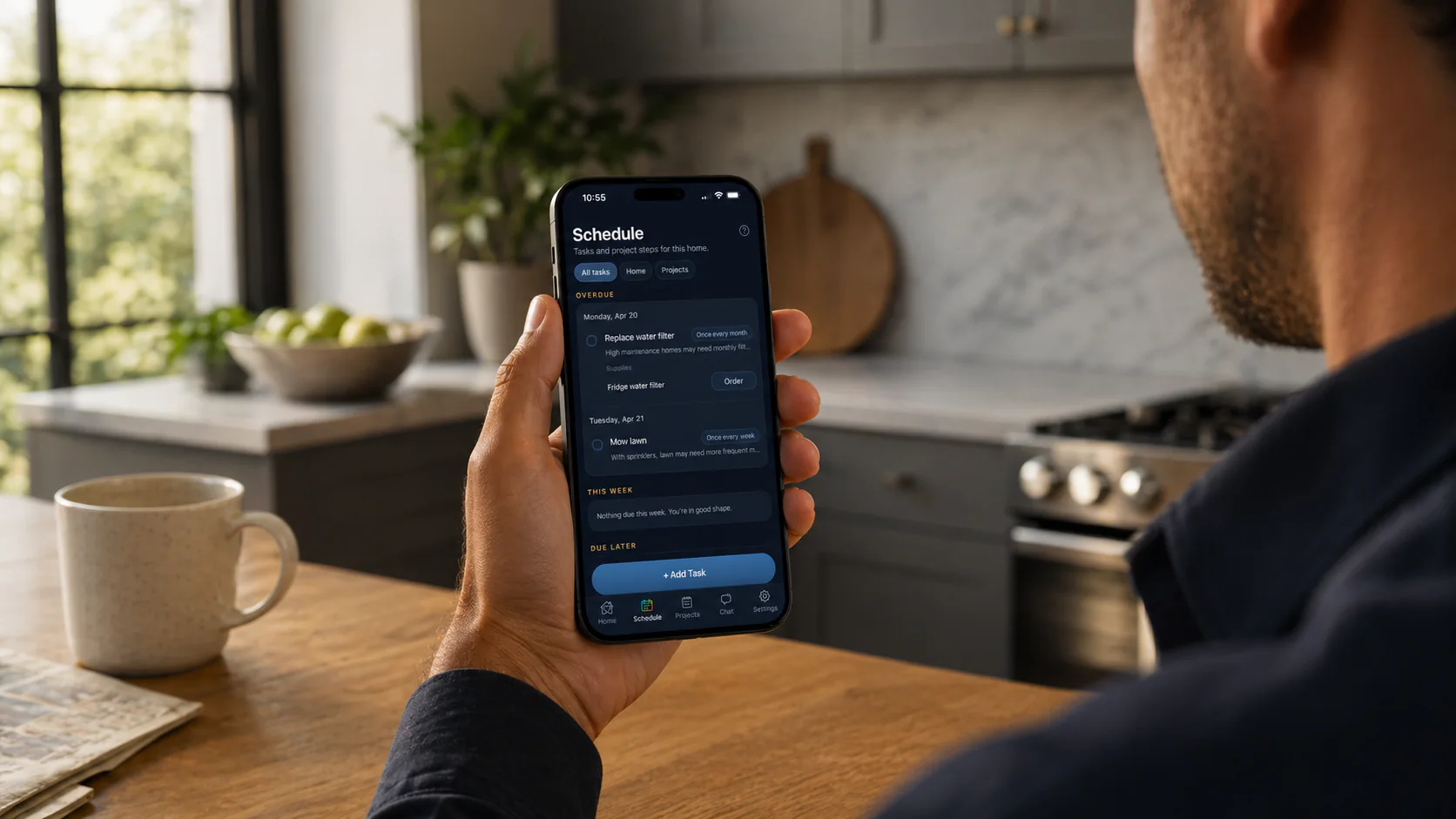
Schedule
See what is due now.
Recurring upkeep, dated work, and the next move stay in one organized view for that home.
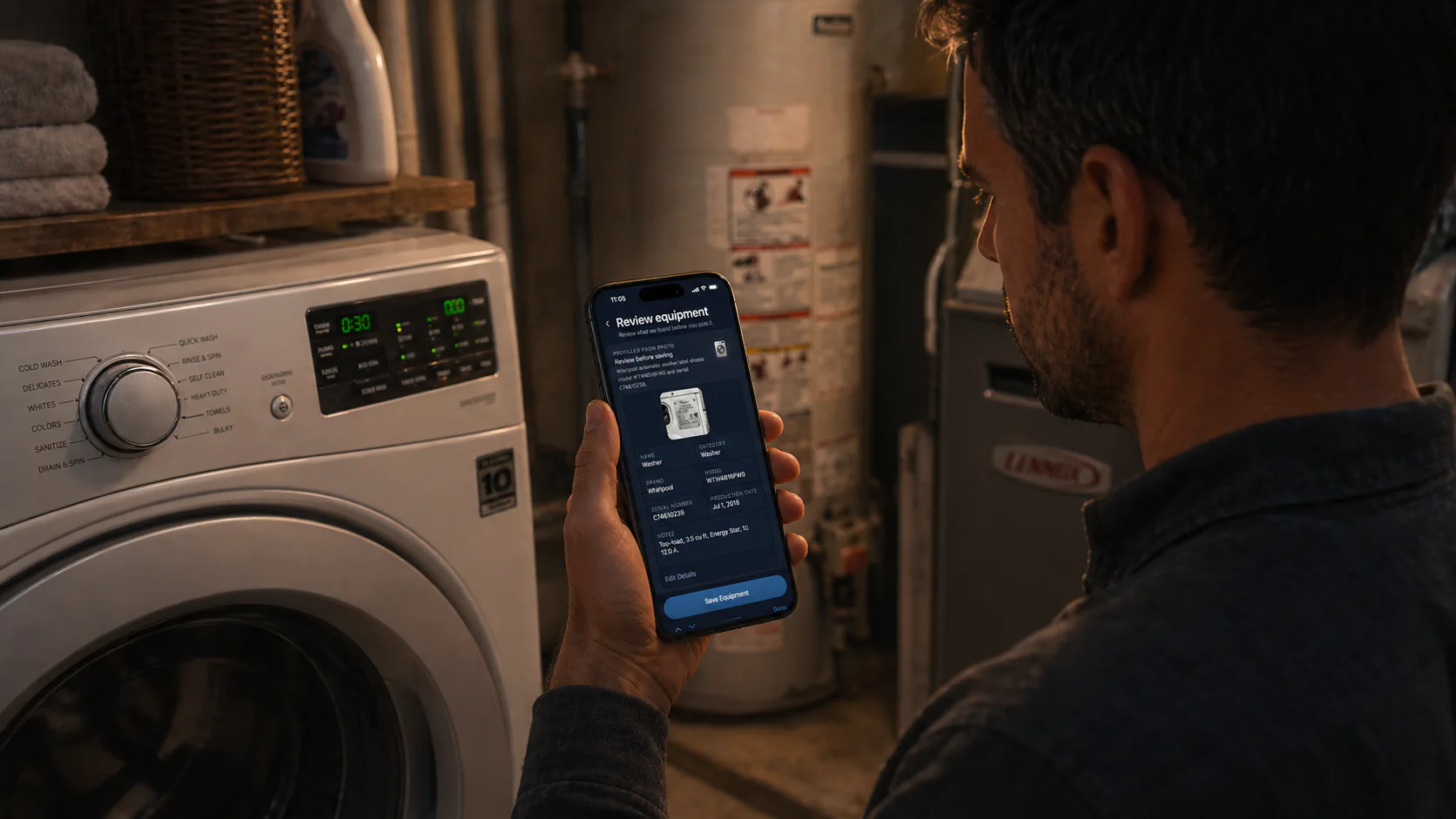
Equipment
Keep records useful.
Label details, model numbers, serials, and notes stay tied to the equipment and the home.

Supplies
Find the right replacement fast.
Repeat filters, parts, cleaners, and supplies can stay attached to the right home record.
FAQ
Common questions
What is a home management app?
A home management app helps keep household tasks, maintenance, supplies, equipment, notes, projects, and home history organized in one place.
How is Heart Of The House different from a checklist app?
It keeps the context behind the checklist too, including equipment details, linked supplies, project notes, house history, and home-specific AI help.
Can I use it for more than one home?
Yes. Free starts with one owned home, Pro supports up to 3 owned homes, and Portfolio supports unlimited owned homes.
Does one account work across platforms?
Yes. The same account works across iPhone, Android, desktop web, and mobile web, so each home's memory stays together wherever you update it.
More to explore
Explore more ways to use it
01
02
03
04
Household management app
Heart Of The House is a household management app where couples and families keep one shared home memory for tasks, supplies, equipment, shortcuts, contacts, projects, and house history.
Home maintenance app
Heart Of The House is a home maintenance app that keeps recurring upkeep, supplies, equipment details, who-to-call contacts, and house history in one home memory.
Home inventory app
Heart Of The House is a home inventory app for appliance and equipment tracking, linked supplies, label-photo capture, and house history.
Short-term rental maintenance app
Keep maintenance tasks, equipment details, repeat supplies, service contacts, shortcuts, and house history separate for every vacation rental.
Download the app from the App Store or Google Play, or keep using the web app in your browser. One account keeps each home's memory together across iPhone, Android, desktop web, and mobile web.